



Bet9ja lets you skip your username and password on mobile by setting a four digit PIN. This guide covers setting it up, what happens when you forget it, how to reset your password, and the login errors that come up most often.
How to Set Up Bet9ja PIN Login
PIN login is a mobile method that replaces your username and password with four digits.
- Log in with your username and password.
- Go to My Account.
- Tap Account Settings.
- Tap Setup PIN Login.
- Create your PIN, then confirm it.
The PIN works across both the Sports and Casino sections. It can only contain numbers, and it cannot be the same as your password.
How Bet9ja PIN Login Actually Behaves
This is where most people get caught out, so it is worth reading before you rely on it.
Your PIN belongs to your account, not to your phone. If you buy a new phone or switch browser, the PIN still works, but the first sign in on that device always requires your username and password before the PIN activates.
Tapping log out ends the session and deactivates the PIN on that device. Your next sign in there needs your username and password again, after which the PIN reactivates. Simply closing the app or the browser tab does not have that effect, and you can still use the PIN when you come back.
Clearing your cookies wipes the trace of your activity, so the next visit needs your username and password.
The PIN is removed entirely in only three situations: you remove it yourself in Account Settings, you enter it wrongly three times, or you tap the forgot your PIN option.
How to Log In to Bet9ja With Your Username and Password
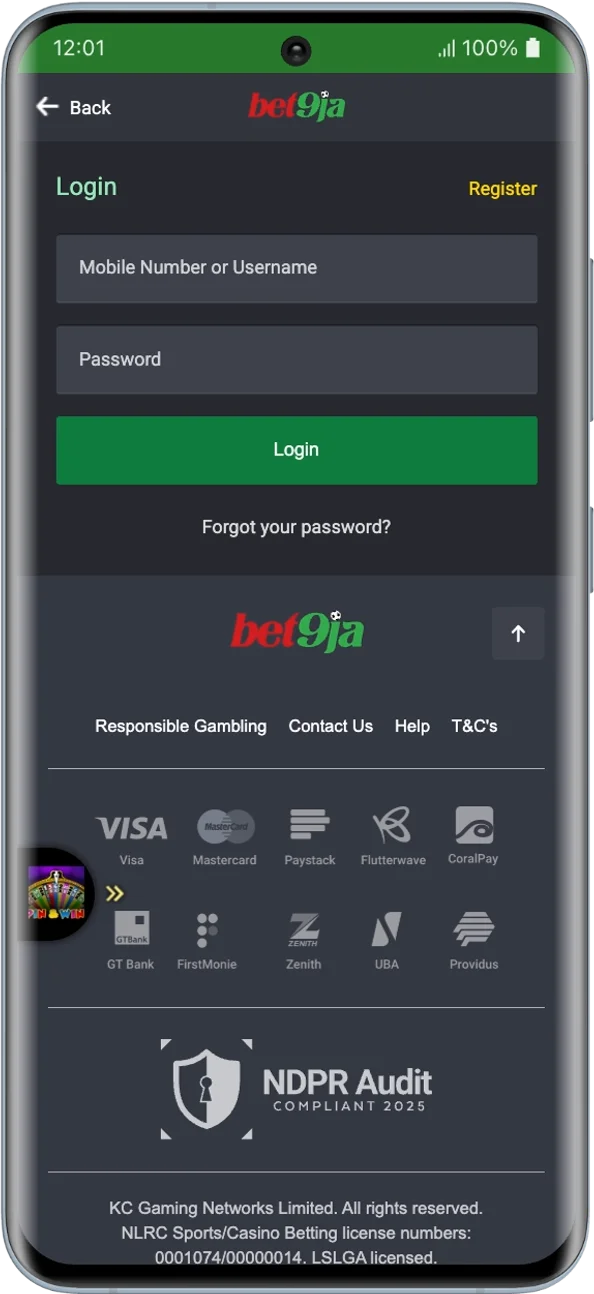
- Open the Bet9ja app or the site in your phone browser.
- Tap login at the top right.
- Enter your username and password.
- Tap login.
Your username is fixed at Bet9ja registration and cannot be changed afterwards, so it is worth storing somewhere you will still have it in a year.
Desktop uses the same username and password in the same way. PIN login is the one difference, since it is a mobile method and is not part of the desktop flow.
Bet9ja Mobile Lite
Bet9ja Mobile Lite is the low data version of the site. Sign in with the same details, and use it when your connection is weak or you are watching your data. Password changes are available inside Mobile Lite as well.
How to Reset Your Bet9ja Password
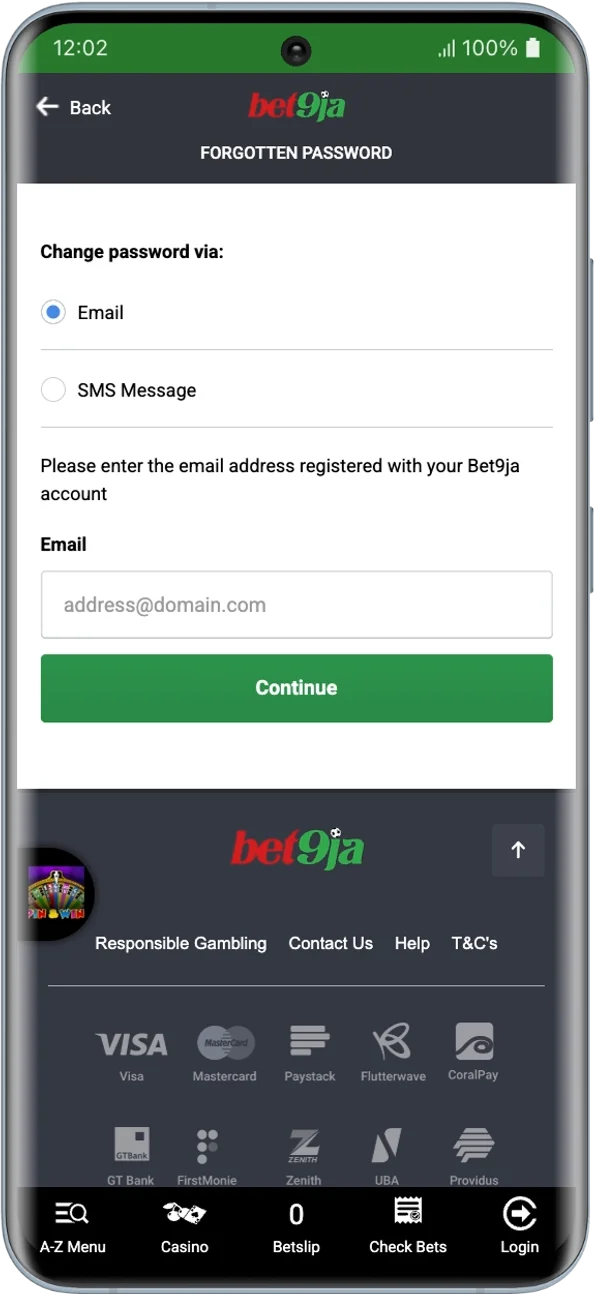
- Tap login, then tap the forgotten password link next to the login area.
- Enter the details the recovery page asks for.
- Follow the instructions in the message Bet9ja sends you.
- Set your new password and sign in with it.
If you have forgotten your username rather than your password, the reset form will not help. Bet9ja asks you to contact customer services by email to retrieve it.
To change a password you still remember, log in, open Account Detail, tap Change Password, and follow the steps.
Why You Cannot Log In to Bet9ja
| Problem | What to do |
|---|---|
| PIN rejected three times | You are sent to the standard login, use username and password |
| Forgotten PIN | Tap forgot your PIN, sign in normally, then set a new one |
| PIN stopped working after logout | Expected behaviour, sign in with username and password once |
| Forgotten password | Use the forgotten password link next to the login area |
| Forgotten username | Contact customer services, it cannot be recovered from the form |
| Wrong personal details on the account | Contact customer services, these cannot be edited yourself |
| Account locked after repeated attempts | Stop guessing and reset the password instead |
| Bet9ja self exclusion in place | Access cannot be restored on request |
Can You Have Two Bet9ja Accounts?
No. Bet9ja does not permit multiple accounts, and holding more than one puts both at risk. If you have lost access to an old account, recover it rather than opening a new one.
Keeping Your Bet9ja Account Secure on Your Phone
Do not set up PIN login on a phone you share, and if you already have, remove it from Account Settings. Change your password straight away if you think someone else has it, since anyone who can sign in can request a Bet9ja withdrawal. Use log out rather than just closing the app when you are done, which also deactivates the PIN on that device. Sign in only through the official Bet9ja Nigeria site or app.
Frequently Asked Questions
Can I change my Bet9ja PIN?
Not directly. Remove the active PIN in Account Settings, then set a new one.
Does my Bet9ja PIN work on a new phone?
Yes, the PIN belongs to your account. The first sign in on the new phone needs your username and password, after which the PIN activates.
Can my PIN be the same as my password?
No. The PIN uses digits only.
Can I change my Bet9ja username?
No. The username you choose at registration is permanent.
Will my PIN still work after a day of not using it?
Yes, as long as you have not logged out, cleared cookies, or changed browser or device.
How do I update the email on my Bet9ja account?
Contact customer services. Personal details cannot be corrected from inside your account.
18+ , T&Cs apply, Play responsibly